MOAI AI notes app The notes app that organises your notes: MOAI Memo Keep quick notes, schedules, recordings and drawings together. The MOAI Assistant turns what you wrote into something easy to read.
MOAI is a free notes app: write notes, attach photos and files, add notes and reminders to a calendar, and let the MOAI Assistant organise long notes. Export to PDF. iPhone, iPad, Android, Mac and Windows.
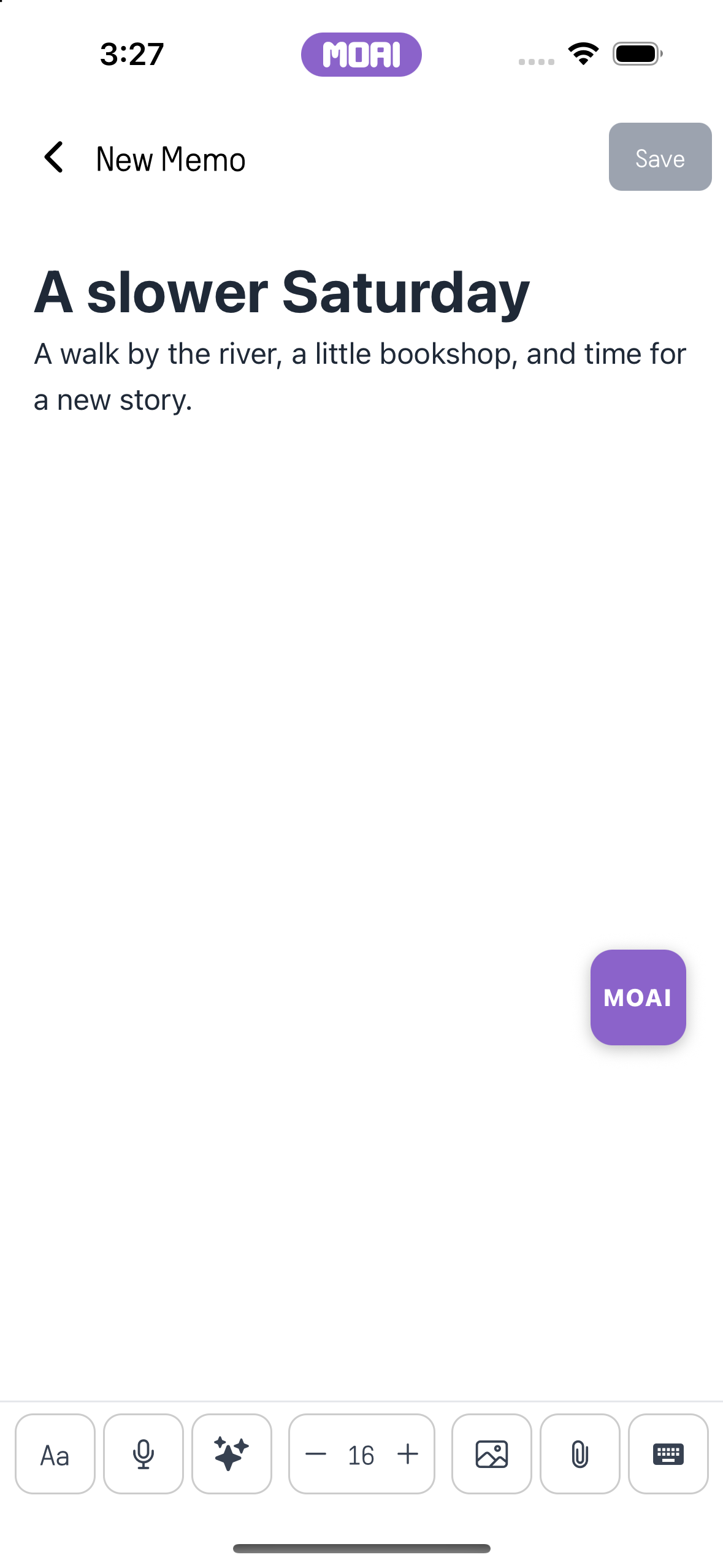
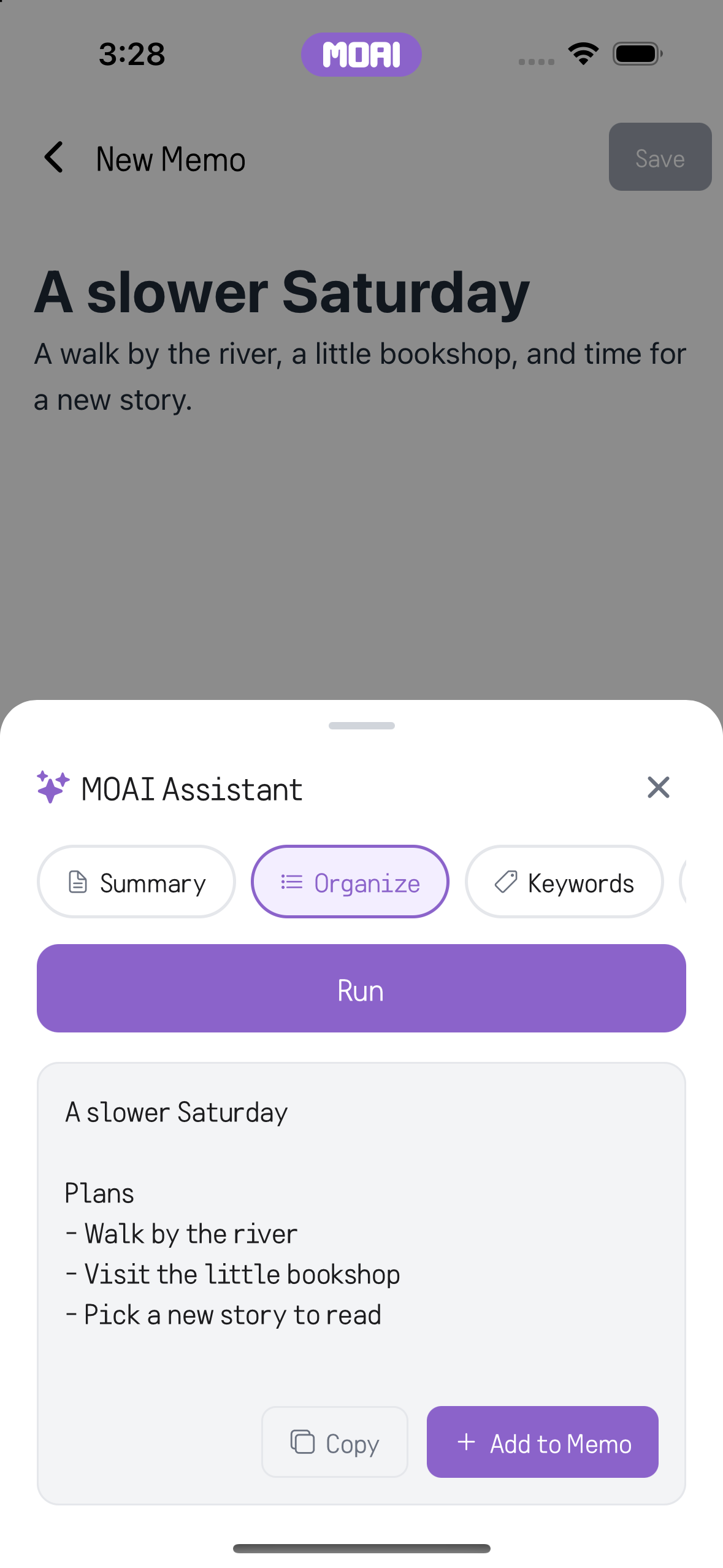
Download MOAI Real app screens Apply a bulleted list, then undo the change. Watch how it works: Editing a memo on Mac: tick off to-do items, select a sentence, make it bold from the Aa formatting bar and save. Sample content shown. Editing a memo on Mac: tick off to-do items, select a sentence, make it bold from the Aa formatting bar and save. Sample content shown. Screen recording of running MOAI Organize on a memo and receiving a tidy plan list. Sample result shown. Search your note library to find a matching note. Select a date to see its scheduled notes. Opening a memo and exporting it to a PDF preview. Sample content shown. Original memo text in the editor before any MOAI organizing. Sample content shown. MOAI Assistant showing the organized memo as a short plan list with Copy and Add to Memo buttons. Sample result shown. What you can do Write and format notes Write with text sizes, bold, lists and tables, and attach photos and files to keep your material together.
Organise with the MOAI Assistant Turn scattered notes into a summary, a list or a plan, compare it with the original and add it to your note.
Calendar notes and reminders Pick a date in the month or year view, leave a note for that day and set a time to be reminded.
Search, filters and trash Find a note by search or by content type, and restore deleted notes from the trash.
Export to PDF and share Export a note as a PDF, share it with another app or save a copy to your cloud drive.
How it works Open a new note in the Memo tab and write, or attach photos and files. Tap the MOAI Assistant when you want a summary or a list. Set a date and a reminder, and the notification brings you back to the note. Frequently asked questions
Is MOAI Memo free? Writing, attachments, the calendar, reminders, search and PDF export are free. Organising with the MOAI Assistant uses your plan's weekly usage.
Can I see the same notes on my computer? Yes. Sign in with the same account to see your saved notes in the iPhone, iPad and Android apps and in the Mac and Windows apps.
Can I set a reminder on a note? Yes. Give a note a date and time, and a notification arrives at that time and opens the note.
Can I keep recordings and drawings as notes? Yes. Voice recordings, meeting recordings and drawings made with MOAI Pencil can be saved as notes. Voice recorder & meeting notes Turn recordings into text and meetings into transcripts, summaries and to-dos. Beauty camera Shoot with live beauty effects and retouch photos from your album. Video editor Trim, add subtitles, music, mosaic and drawings — edit video on your phone. AI image generator Describe an image to create it, then refine the ratio, style and text. Drawing app Draw on phone and iPad with brushes, layers and paper textures. AI music maker & beat maker Make beats, write lyrics and create backing tracks with MOAI. Free music Listen to new tracks, top charts and playlists for free. Live translator Interpret face-to-face conversations and translate text and speech. Language learning Learn 31 languages with textbooks, quizzes, alphabets and a voice tutor. Translated chat & calls Chat and call with friends abroad in translation and meet language partners. AI chat Ask, search and show photos or documents in a chat with MOAI. Fortune, tarot & love Enjoy readings, tarot, dream meanings and love tests for fun.